
Architecture and Components
Plethos gives members of your organization self-service Kubernetes clusters, provisioned as isolated vCluster instances. You only need to run one real Kubernetes cluster. This page explains what Plethos creates in it and how the parts interact, so you can operate, debug and contribute to it.
Good to know
Section titled “Good to know”- This page assumes the reader has basic knowledge about Custom Resource Definitions (CRDs) and the Operator Pattern.
- It’s also beneficial to read how vClusters by vCluster Labs work.
Architecture
Section titled “Architecture”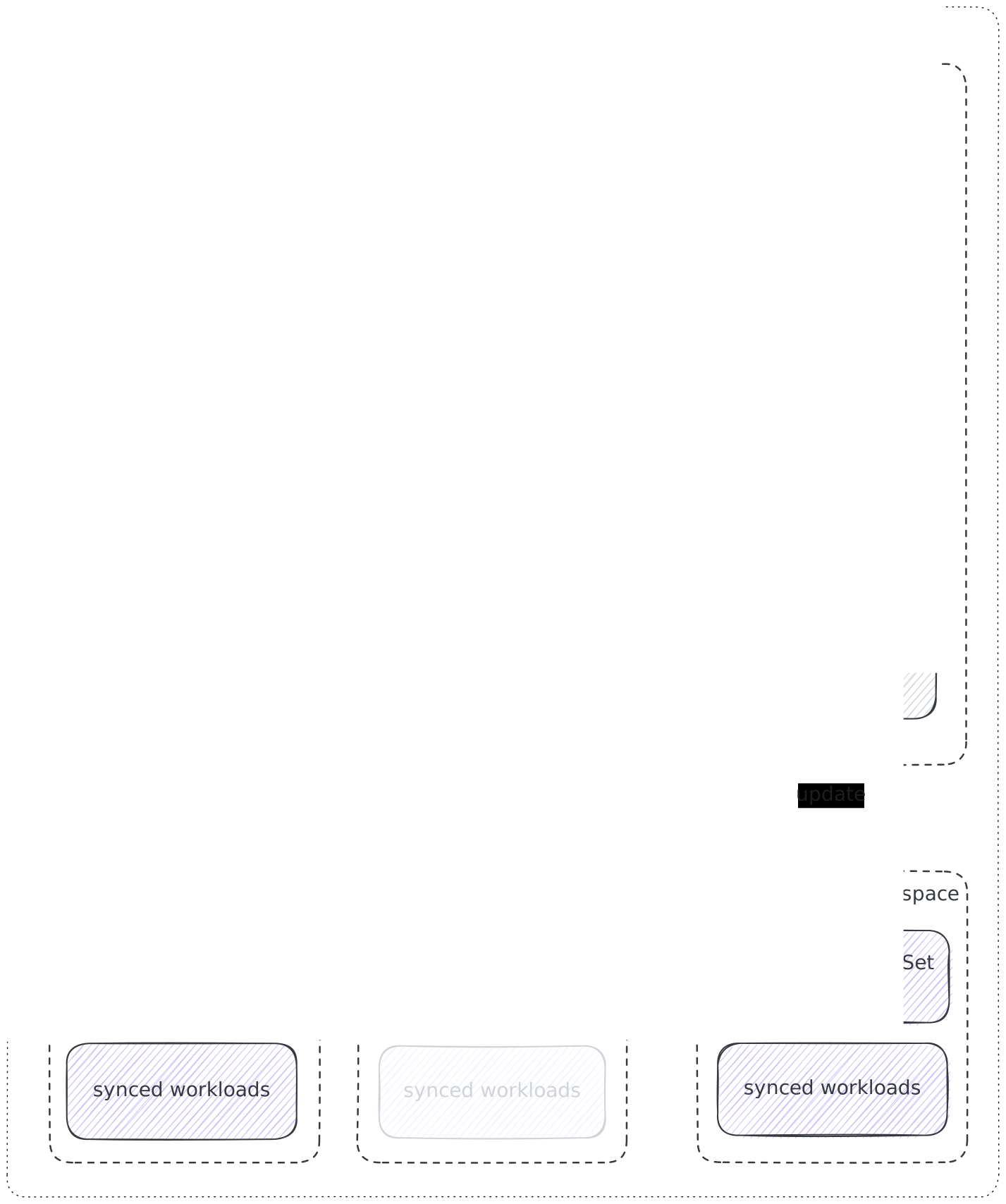
Plethos consists of two independent services:
- Portal: the web app users log into to create and manage their clusters. It is a FastAPI + HTMX server.
- Controller: a Kubernetes controller, built with Kopf, that creates and manages the actual vClusters.
The two never talk to each other directly. They communicate through a custom resource called VClusterClaim:
- The portal creates, updates and deletes
VClusterClaimobjects to describe the desired state of a cluster: who owns it, who it is shared with and whether it should be running or asleep. - The controller watches these objects and makes the real vCluster match.
- The controller writes the result back into the object’s status, which the portal reads to show the cluster’s state to the user.
There is no database. Ownership, sharing and lifecycle state all live in Kubernetes resources, so the Kubernetes API is the single source of truth for both services.
Components
Section titled “Components”Portal
Section titled “Portal”The portal handles everything users and admins see:
- Login: a standard OIDC authorization-code flow, so any compliant identity provider works. A user’s OIDC
subclaim is stored asspec.ownerSubjecton their claims. It is the stable identifier a claim is scoped to, as explained later in Ownership Labels. - Cluster management: create, sleep, wake and delete clusters, download the kubeconfig, view logs, export PVC data, share clusters with other users by email and see the public app host.
- Admin dashboard: admins see all clusters and owners and can edit portal-wide settings. “Admin” is not an OIDC role but instead a membership in the
adminEmailslist of the settings ConfigMap. - Emails: member invites and expiry notifications are sent through your SMTP server.
Controller
Section titled “Controller”The controller watches VClusterClaim resources in its namespace (plethos by default) and reconciles each one. It runs on two timers: a slow one (every 3 hours by default) that corrects drift on every claim and a fast one (every 10 seconds) that only polls claims in transitional phases, so users see a cluster become Running quickly.
Expiry Notifier CronJob
Section titled “Expiry Notifier CronJob”Each vCluster has an expiration date (by default 150 days after creation or last renewal). A daily CronJob checks for expiring clusters, sends warnings, puts them to sleep and finally deletes them. It reuses the portal’s image and ServiceAccount, so nothing extra is deployed. For a more detailed explanation see Cluster expiry.
The VClusterClaim
Section titled “The VClusterClaim”A claim is the contract between portal and controller. The portal writes the spec and the labels (what the user wants and who it belongs to), the controller writes the status (what is actually happening). This is an example of a real VClusterClaim, trimmed slightly:
apiVersion: plethos.cs.hm.edu/v1alpha1kind: VClusterClaimmetadata: name: uad50034fa11850c4-abcdefg namespace: plethos-system generation: 1 finalizers: - kopf.zalando.org/KopfFinalizerMarker labels: plethos.cs.hm.edu/owner-subject-hash: ad50034fa11850c4 plethos.cs.hm.edu/member-6c006363d263546e: "true"spec: # written by the portal name: abcdefg ownerSubject: 3ce80ebb-bb1c-4a35-9247-0a1b2c3d4e5f ownerEmail: testuser@example.com vClusterVersion: 0.35.0 state: Running # Running or Sleeping members: # users the cluster is shared with - email: otheruser@example.comstatus: # written by the controller phase: Running message: vCluster is ready. observedGeneration: 1 conditions: - type: Ready status: "True" reason: Running message: vCluster is ready. observedGeneration: 1 lastTransitionTime: "2026-10-01T07:56:54Z"A few things worth knowing:
- Naming:
spec.nameis the name the user chose. The claim’smetadata.nameis generated from the owner’s hash and that name (u<owner-subject-hash>-<name>), so different users can pick the same cluster name. The claim name is also what appears in the cluster’s hostnames. - Immutability: after creation only
stateandmemberscan change, all otherspecfields are immutable. - Observed generation: if
status.observedGenerationis lower thanmetadata.generation, the controller hasn’t processed the latest change to the claim yet.
You can use kubectl to query and list all VClusterClaims. For example
kubectl get vcc -n plethosOwnership Labels
Section titled “Ownership Labels”The portal doesn’t keep an index of who owns or shares what. It finds a user’s clusters by querying VClusterClaims using label selectors:
| Label | Meaning |
|---|---|
plethos.cs.hm.edu/owner-subject-hash |
Used to select all clusters a user owns. Its value is the hash of the owner’s ownerSubject (i.e. OIDC sub). |
plethos.cs.hm.edu/member-<hash> |
Used to select all clusters shared with a user. One label per shared member with the value set to "true". The hash is generated from the user’s email. |
Phases and conditions
Section titled “Phases and conditions”status.phase shows where the actual state of vCluster and status.message gives a human-readable description:
| Phase | Meaning |
|---|---|
Provisioning |
The Helm install Job is being created or is still running. |
Pending |
The vCluster StatefulSet exists but isn’t ready yet. |
Running |
The vCluster is up. |
Sleeping |
Scaled to zero, workload pods deleted. |
Waking |
Scaling back up after sleep. |
Error |
Unexpected problem, such as an unsupported version or a failed resource creation. |
Deleting |
The claim and vCluster are being deleted. |
The Ready condition is True only when the vCluster is actually up. Otherwise it is False with the current phase as the reason.
What gets deployed
Section titled “What gets deployed”By the Helm chart
Section titled “By the Helm chart”These are created once when deploying the Plethos Helm chart in the dedicated namespace:
| Resource | Purpose |
|---|---|
| Portal Deployment, Service and Ingress | The web app and its public entry point. |
| Controller Deployment | The controller. |
CronJob <release>-inactivity-check |
Daily expiry check. Runs Forbid concurrency, so runs never overlap. |
ConfigMap plethos-portal-settings |
Stores admin emails and quotas. Seeded from your values on first install, afterwards managed through the admin UI. |
| ServiceAccounts and RBAC | Permissions for the portal and controller, plus the plethos-vcluster-installer ClusterRole used by install Jobs. |
VClusterClaim CRD |
Installed on first install. |
You can find all manifest templates here.
Per vCluster
Section titled “Per vCluster”For every VClusterClaim, the controller creates and maintains:
| Resource | Purpose |
|---|---|
| Namespace | One dedicated namespace per vCluster. All of its resources live here. Named vcluster-<claim-name>. |
ServiceAccount helm-installer |
Bound to the plethos-vcluster-installer ClusterRole, so install and uninstall Jobs get only the permissions the vCluster chart needs in that one namespace. |
| Helm install / uninstall Jobs | Run the vCluster Helm chart to create or remove the cluster. |
| vCluster StatefulSet | The vCluster’s control plane. |
| Synced workload pods | Pods that users deploy inside their vCluster are synced into this namespace, where they actually run. |
| API Ingress | Exposes the vCluster’s Kubernetes API at <claim-name>.<vClusterApiBaseDomain> using SSL passthrough. |
| App Ingress | Only if exposedAppsBaseDomain is set. Exposes <claim-name>.<exposedAppsBaseDomain>. |
| NetworkPolicy | Allows the ingress controller to reach the vCluster’s workloads and prevents vClusters from reaching each other. |
Networking
Section titled “Networking”- vCluster API: traffic goes through your ingress controller straight to the vCluster, which terminates TLS itself (SSL passthrough). That is why no certificate is needed for the API domain.
- Public apps: the app Ingress routes
https://<claim-name>.<exposedAppsBaseDomain>to a Service namedhttpin the vCluster’sdefaultnamespace on port80. This is HTTP only. TLS is handled by the wildcard certificate configured as the ingress controller’s default. - Isolation: each vCluster namespace has a NetworkPolicy. It lets the ingress controller through, identified by
controller.ingressNamespaceor, withhostNetwork, bycontroller.ingressControllerIpRanges.